Hai guys have you ever thought about changing the name of os listed by Windows 7 Boot Manager like shown below
 For the above trick simply follow these steps :-
1)Logon to windows.
2)Now goto accessories and right click Command Prompt and click Run as administrator.
3)Now in command prompt type bcdedit.You will get a output similar to this picture.
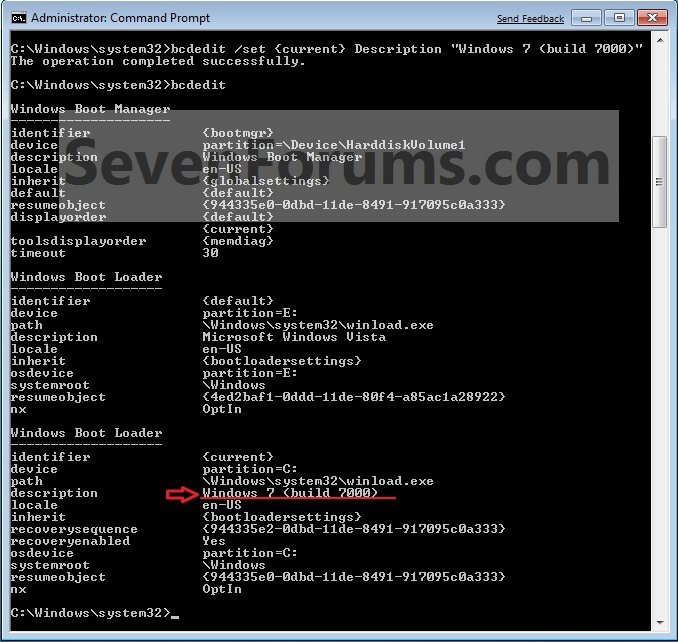
6)Now type bcdedit you will be noticed that.In the Description line You will see your entered name.AS shown below.
 Enjoy....................
Any problem feel free to comment here.
TECHNO NEWS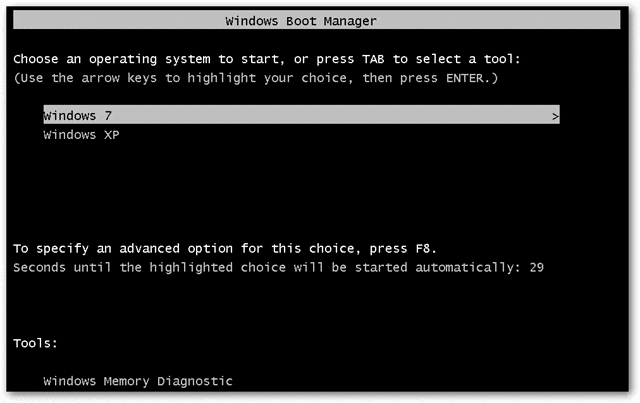
1)Logon to windows.
2)Now goto accessories and right click Command Prompt and click Run as administrator.
3)Now in command prompt type bcdedit.You will get a output similar to this picture.
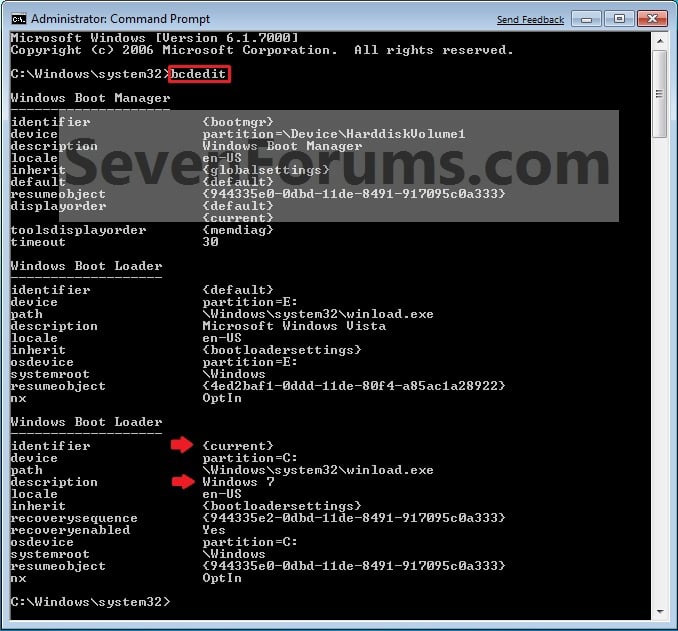
NOTE: This will let you see what the description (name) and identifier of the operating system(s) listed in Windows Boot Manager are under the Windows Boot Loader section(s). For example, Windows 7 (description) as {current} (identifier).
4)In the elevated command prompt, type the command below for a listed OS that you want to change the name of, and press Enter. (see screenshot below)bcdedit /set {identifier} Description "name you want"5)After you successfully completed the above steps.Type cls for clesring the screen.
For example: If I wanted to change the name from Windows 7 (description) as {current} (identifier) to Windows 7 (build 7000), I would type this below and press Enter.
bcdedit /set {current} Description "Windows 7 (build 7000)"
6)Now type bcdedit you will be noticed that.In the Description line You will see your entered name.AS shown below.
Any problem feel free to comment here.
https://ikkemunandar.blogspot.com/
How to Automatically Shrink url of ADF.ly || Earn Money By ADF.ly
https://ikkemunandar.blogspot.com/2013/12/how-to-automatically-shrink-url-of.html
4 Steps Hacking Jcow Social Networking Web Server via Arbitrary Code Execution
https://ikkemunandar.blogspot.com/2016/01/4-steps-hacking-jcow-social-networking.html
ATF Box Full Crack Tool Without Box Flashing For All Nokia
https://ikkemunandar.blogspot.com/2016/01/atf-box-full-crack-tool-without-box.html


Tidak ada komentar:
Posting Komentar